





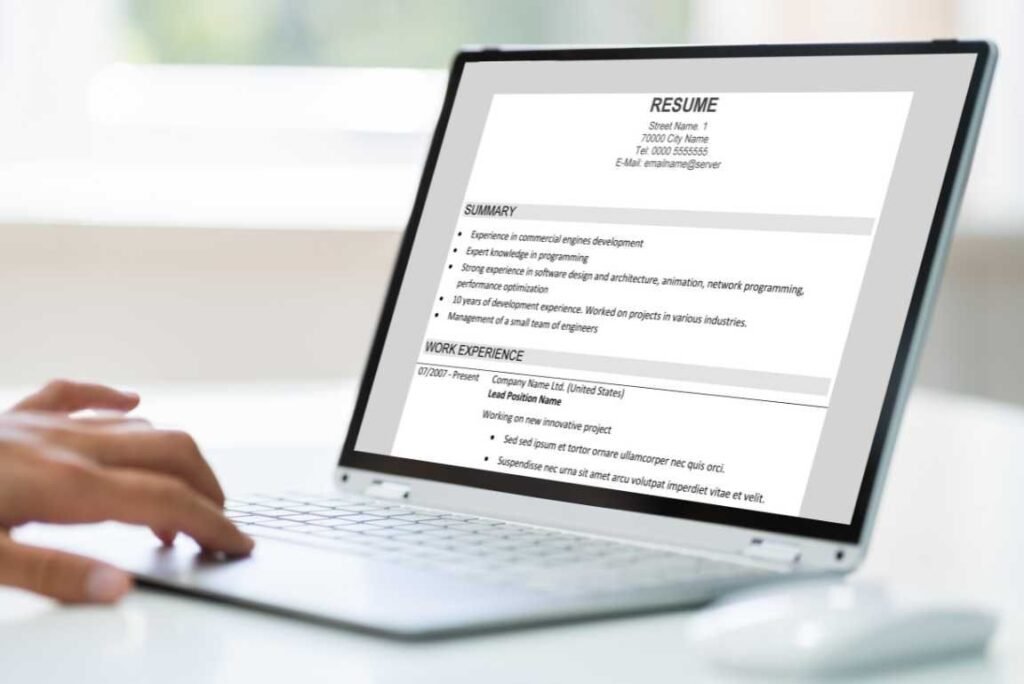
Creating a strong resume is one of the most important steps in a successful job search. Whether you are a fresher, a working professional, or someone switching careers, the format and presentation of your resume play a major role in making a good first impression. This is where best resume templates for word become extremely useful.
Microsoft Word is widely used, easy to access, and familiar to most job seekers. Using professionally designed resume templates helps you focus on content rather than layout, saving time while maintaining a clean and structured look. For learners, job seekers, and skill-builders in India, Word-based resumes are still the most accepted format across industries. This guide explains how resume templates work, why they matter, and how to use them effectively for better employability and career growth.

What Are Resume Templates and Why They Matter
A resume template is a pre-designed document layout that includes formatting for headings, sections, fonts, spacing, and alignment. Instead of designing a resume from scratch, you simply replace the sample text with your own information.
Why resume templates are important
- They ensure a professional and clean structure
- They save time and reduce formatting errors
- They improve readability for recruiters
- They help maintain consistency across sections
For beginners and freshers, templates act as a guide on what information to include and where to place it.
Best Resume Templates for Word for Freshers and Professionals
Choosing the best resume templates for word depends on your experience level, industry, and job role. Word templates are flexible, editable, and compatible with most application systems.
Common template styles
- Chronological resumes – highlight work experience in order
- Functional resumes – focus on skills rather than experience
- Combination resumes – balance skills and work history
For Indian job seekers, simple and ATS-friendly templates work best, especially for corporate, IT, government, and private sector roles.
How Best Resume Templates for Word Improve Job Applications
Using the best resume templates for word helps job seekers present information clearly and professionally, increasing the chances of selection.
Key advantages
- Easy customization for different job roles
- Clean formatting suitable for Applicant Tracking Systems
- Clear sections for skills, education, and experience
- Compatible with PDF and DOCX formats
For freshers, these templates make resumes look polished even with limited experience. For experienced professionals, they help highlight achievements effectively.
Key Sections Every Resume Template Should Include
No matter which template you choose, a strong resume should always contain the following sections:
Essential resume components
- Contact information
- Professional summary or career objective
- Skills section (technical + soft skills)
- Education details
- Work experience or internships
- Projects, certifications, or achievements
Using templates ensures these sections are clearly separated and easy to scan.
Benefits of Using Microsoft Word for Resume Creation
Microsoft Word remains one of the most preferred tools for resume creation in India.
Why Word is still relevant
- Available offline and online
- Easy editing without design skills
- Widely accepted by recruiters
- Supports ATS-friendly formatting
Word resumes are especially useful for campus placements, walk-in interviews, and online job portals.
Common Mistakes to Avoid When Using Resume Templates
While templates are helpful, misuse can reduce their effectiveness.
Mistakes to avoid
- Leaving placeholder text unchanged
- Using overly decorative fonts or colors
- Including unnecessary personal details
- Copy-pasting content without customization
Always tailor the resume content according to the job description and role.
Practical Example: Resume Use Case in India
A final-year student applying for an entry-level IT role can use a simple Word template with:
- A short career objective
- Technical skills like Java, Python, or Excel
- Academic projects
- Internship experience
This approach keeps the resume professional and relevant without unnecessary design elements.
(FAQs) Best resume templates for word
1. Are Word resume templates suitable for freshers?
Yes, Word templates are ideal for freshers because they provide a structured format that clearly presents education, skills, and projects without design complexity.
2. Can recruiters read Word resumes easily?
Most recruiters prefer simple Word or PDF resumes because they are easy to open, read, and scan using applicant tracking systems.
3. Should I customize a resume template for each job?
Yes, tailoring skills, keywords, and summaries for each role improves relevance and increases the chances of shortlisting.
4. Do resume templates work for government jobs in India?
Yes, but government roles usually require simple formats. Avoid design-heavy templates and stick to clean layouts.
5. What font style is best for resumes?
Fonts like Calibri, Arial, or Times New Roman are widely accepted and improve readability.
6. Can I convert a Word resume to PDF?
Yes, converting to PDF is recommended before submission to preserve formatting and layout consistency.
Conclusion
A well-structured resume increases your chances of getting shortlisted, and using best resume templates for word makes this process faster and more effective. These templates help job seekers focus on skills, achievements, and clarity rather than formatting struggles.Whether you are a fresher, a working professional, or someone preparing for your next career move, choosing the right template is a smart first step. Explore practical resume guides and career resources on naukri.live to build stronger resumes and prepare confidently for job opportunities.